Posts

Showing posts with the label Building a Box

Building a Box - Dual-Boot

Image
While I am generally a Windows user, I have always been interested in Linux. I made an attempt to install Red Hat on my PC in the late 90s (but had too many driver issues and couldn't get x-windows to work properly so I decided to wait a while). In early 2010 I looked into it again and discovered Ubuntu . After playing with 10.04 and subsequent versions in VirtualBox for a while, I restored an old laptop using 11.04. After that, I was hooked, and I have had some version of Ubuntu running on a PC ever since. Once I was sure everything was stable on my new machine (I really have to give it a name...), I grabbed the latest version (12.10) and set up a dual-boot machine. It actually wasn't that quick. I definitely wanted to run Ubuntu on the system, but I also didn't necessarily want to extend the boot time - I was too used to the  the 20-seconds to working in a desktop program from totally off   performance I was getting, and I didn't want to slow it down, even if it...

Building a Box - Upgrading

Image
In the short time since I finished building my custom PC , I have done a couple of upgrades to the components and played around with overclocking in order to improve overall system performance. In this post, I will cover the new components I have added, and I will have a separate post on overclocking in the near future. New Components Since the build, I have added an aftermarket cooling system to improve cooling when overclocking (see Overclocking Without Permission for details on why it was necessary), added a blu-ray RW drive, and increased cooling capacity even more by putting another fan in the case. The end result is that I can now play and backup blu-ray movies, and I can burn my HD home movies in actual High Definition without worrying that my computer will overheat when encoding the videos (that wasn't an issue when the system was running at stock speeds). Blu-Ray Drive   The Blu-Ray drive I added is an LG WH14NS40 , a SATA 14x Blu-Ray burner that supports BDXL,...

Overclocking Without Permission

Image
Sorry for the long delay between posts this month. I really want to try to get to posting a couple of posts a week, but Real Life keeps popping up and using up my time. In any event, I am going to try to get back to that frequency starting now. I have a lot of ideas for posts, and am going to start actually typing them up. I'll start off with something I promised a while ago. As I mentioned in the post about my custom PC build , I had an issue with the system crashing randomly. It only crashed twice - once when I was running the Windows Experience Index, and once overnight. This worried me because it was a brand new system, and everything should have been in tip-top shape - unless I screwed something up (or received a faulty piece of equipment). I was really hoping I wouldn't have to redo all or part of the build. Luckily, I enjoy troubleshooting almost as much as I like building PCs, so I put on my thinking cap (do they still make those) and started working. When I check...

Building a Box - The Build

Image
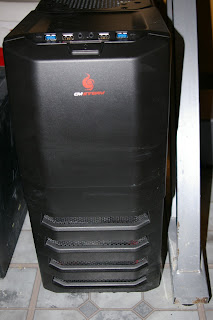
Meet my new PC Well, this is progressing much faster than I thought. I am actually typing this on the box that the series is about. The combination of Black Friday/Cyber Monday sales, and Christmas presents made it possible to get most of the parts, and a great sale on the processor at Microcenter (more than $100 off list, and at least $60 less than the best sale I found online) sealed the deal. Final specs As my uncle pointed out  in the comments of the last post, I didn't really talk about the Power Supply or the case. In order to support future expansions, I decided to go with a 600 watt power supply. As I add graphics cards and other components, this will ensure that I have ample power available. I also selected a mid-tower case. This has plenty of space for HDDs, SSDs, optical drives, and, most importantly, cooling fans.  Parts List If you read my last installment , you're aware of the general specs of the machine. Here is the list of specific parts I us...

Building A Box - Specs

I've done a lot of thinking about the specifications of the computer I am going to build . My two main priorities are speed and storage. I use my main PC for video editing, some Web development, and as a media server for the house. I figure that whatever I build will replace it as my main desktop, and then I can give my current machine (a two-year old Dell Studio XPS 8100) to my wife. Motherboard Since the motherboard was a gift, there wasn't really a choice. It is an ASUS P8Z77-M Pro , which is a decent Micro ATX board that supports 3rd gen Intel  processors. It is a little light on the internal expansion ports (three total), but has decent built-in sound and video as well as support for several USB ports (front and back) in both 2.0 and 3.0. It can handle up to 32 GB of memory. Processor Since I have the luxury of shopping around and buying parts over time, I am looking at getting the Core i7 3770k processor. It is currently the fastest Core i7 that...

Building a Box

My brother-in-law recently gave me a motherboard. He had been thinking about building a PC, but life got ahead of him and he decided he wasn't going to do it just yet. Since he was also moving to Australia, he decided it was something he didn't want to take with him. It took me a while to decide what I was going to do with it. I've never built a complete PC all at once. I've replaced every part in more than one system, but that usually would take place over a couple of years. It's not that I didn't want to build a computer, but it was generally less expensive to buy something pre-made and then tweak it. But now I had this shiny new motherboard, and a pretty decent one at that. So I decided to take the plunge. This seems like a great topic for a series of posts... walking through the process of obtaining the parts and software, putting it together, then testing and running benchmarks to see if it will perform as well as I hope. I'll start with a post...